|
Beyond Posterization
|
|
By Rick Wetzel
At a recent seminar, I was asked if I had any "wild" backgrounds. I suggested an unconventional technique using an adjustment layer, and a photographic background. If you experiment with different backgrounds you can achieve some fantastic results.
|
|
|
|
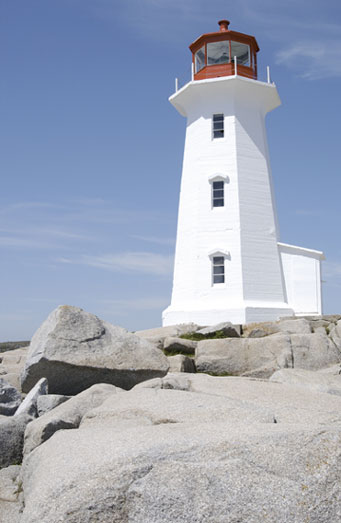
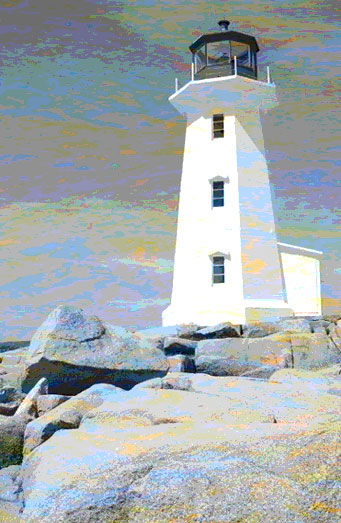
In this example, I took a lighthouse from AbleStock.com and tried out my suggestion.
Step 1
Open your photo of choice in Photoshop.
|
 |
STEP 2
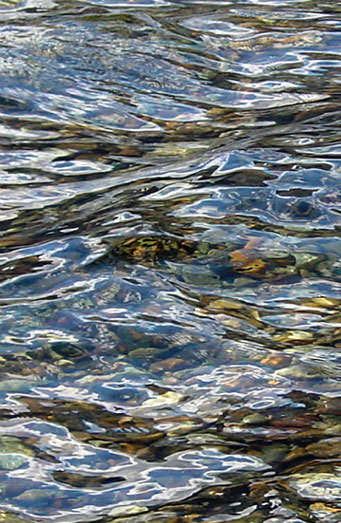
Copy and paste a background over your original photo. Here, I have selected an image that ordinarily I wouldn't even considered. But sometimes, that's exactly what is needed. Here I used an image from the Patterns & Textures from Yellowstone collection.
|
 |
STEP 3
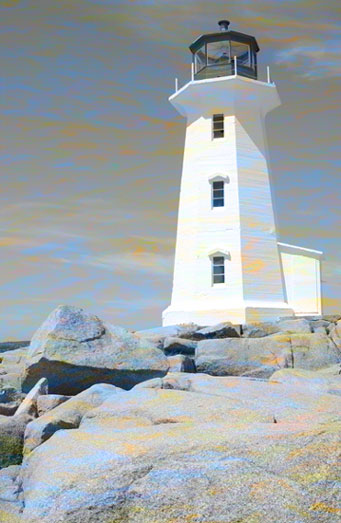
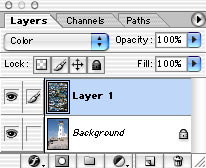
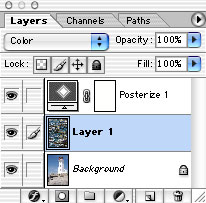
Open a new background and scale it to the approximate size of your other photo. Select color from the blending mode pull down menu.
|
 |
STEP 4
Create an adjustment layer. Select Layer>New Adjustment Layer>Posterize from the menubar. I chose 8 levels.
If you turn Layer 1 off and on, you can see quickly what effect the background has on the posterization technique.
|
|
|